
Reviewing a map in full screen: focus mode
Focus mode gives the map all the room and clears away everything else. Perfect for quiet revision, or for running through a quiz without anything cluttering the screen.
The map takes over the whole screen, everything else fades away
On map pages, the left half of the screen shows a description panel: the title, the quiz button, related content. Handy when you're discovering a map, but a bit cluttered when all you want to do is revise. Focus mode clears that panel away and gives the map the full width.
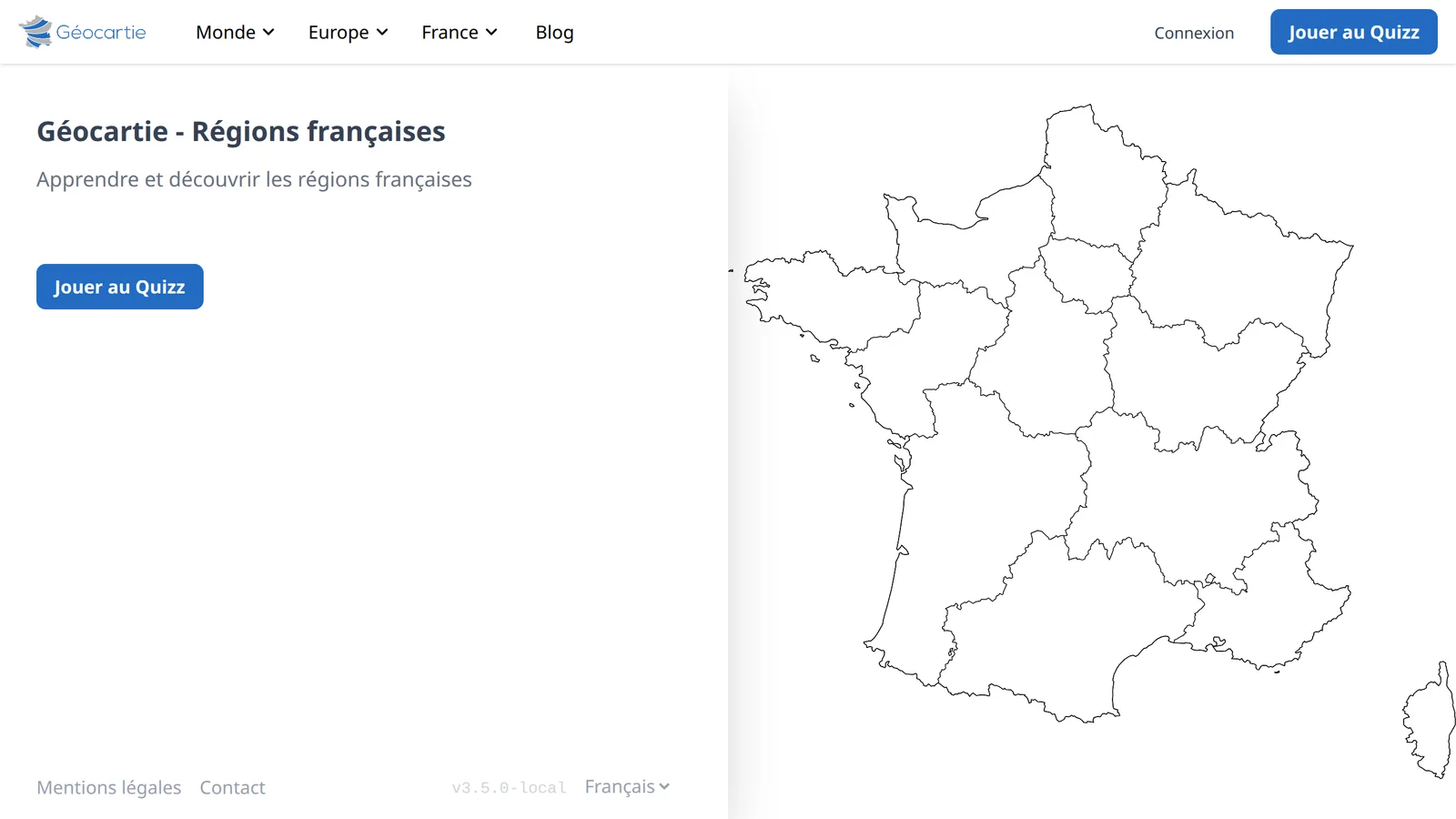
Turning it on and off
On desktop:
- Hover over the description panel: a
<button appears on its edge. - Click it: the panel slides to the left and the map gradually expands into the freed-up space.
- To go back, click the
>button shown above the map.
Focus mode is reserved for desktop screens. On mobile, the map already takes up all the available space and the buttons stay hidden.
The tooltip: the territory's name on hover
When focus mode is active and no quiz is running, a tooltip follows your cursor and displays the name of the territory you're hovering over.
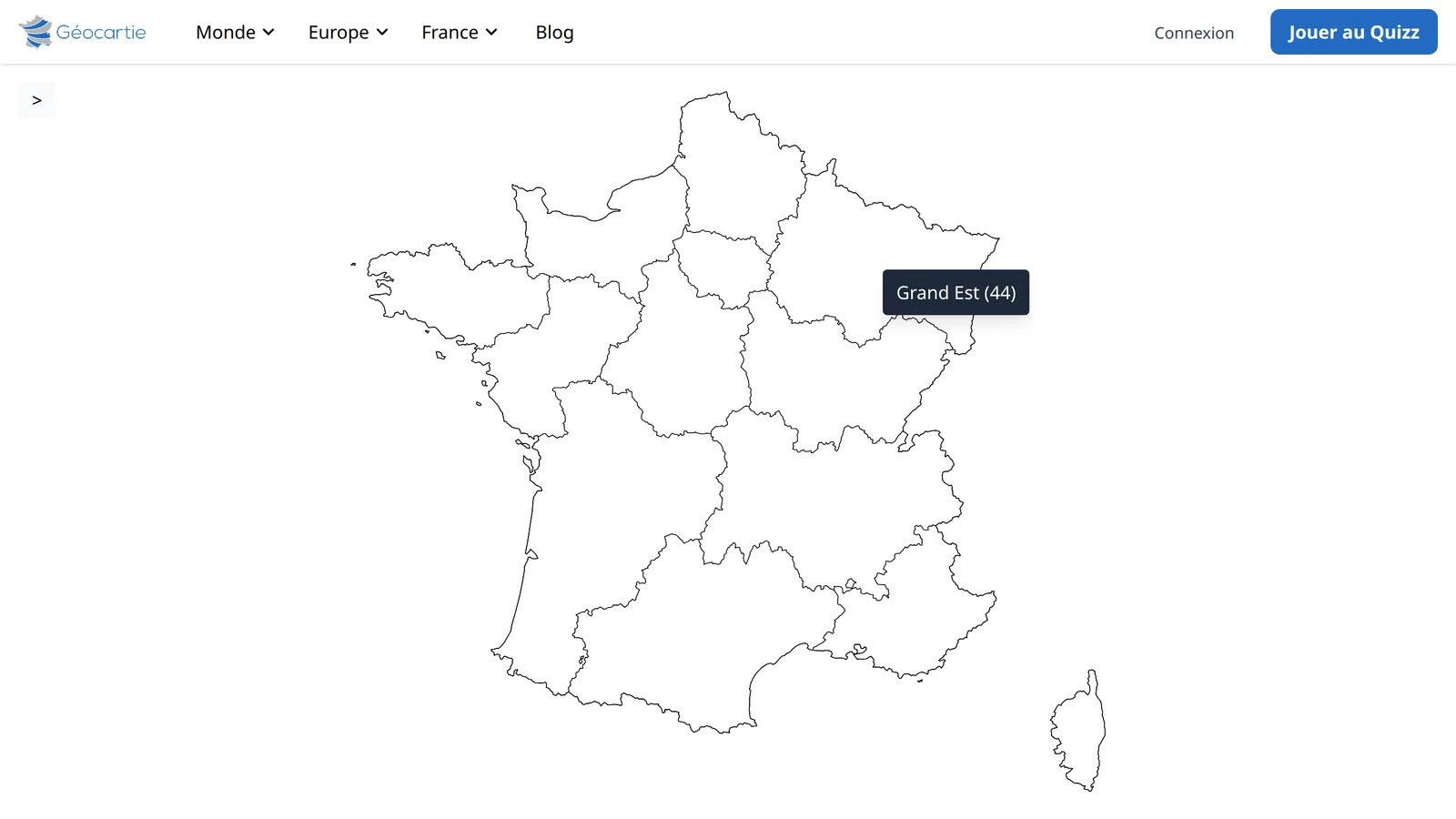
Handy for a quick check: you move the cursor around, try to name the territory from memory, and the tooltip confirms — or corrects — you. No clicking, no score — just the map and the names.
Note: during a quiz, the tooltip is disabled. It would obviously give away the answer.
Even more useful during a quiz
Focus mode also works mid-game, and goes even further: the navigation bar disappears and the score bar stretches across the full width, all in service of the map. Clicking on a territory won't take you out of focus mode — the back button briefly flashes as a reminder that it's there.
That's where it really shines: on a dense map like the départements or the countries of Europe, every pixel gained counts when you're aiming for the small territories.
👉 Try it right now on the French regions, then switch on focus mode once the quiz has started: you'll see the difference.
🎯 Keep your scores. With a free account, your games are saved from one revision session to the next.